
How Digital Tools Are Reshaping Creative Workflows for Modern Professionals
Creative professionals today work in an environment where ideas can move from concept to execution faster than ever. Musicians can build complete compositions inside a digital workspace, while designers can develop detailed three-dimensional concepts without first producing a physical prototype.
The real advantage, however, is not simply access to advanced software. It is the ability to build a workflow that encourages experimentation, organization, collaboration, and continuous improvement.
As creative industries become increasingly digital, tools such as music production platforms and 3D modeling applications are increasingly integrated into broader creative systems. They help professionals test ideas, communicate concepts, and refine projects before committing significant time or resources.
The Growing Importance of Digital Creative Workflows
A creative workflow is essentially the process used to transform an initial idea into a finished result.
For a musician, that process could involve recording, arranging, editing, sound design, mixing, and mastering. For a designer, it might involve concept development, modeling, visualization, revisions, presentation, and documentation.
Although these activities appear different, they share several principles.
Creators need a way to capture ideas, experiment with alternatives, organize project elements, review their progress, and communicate the final concept.
This is one reason why modern creators increasingly rely on flexible creative software. Instead of following a rigid production path, they can adapt their process according to the needs of each project.
From Inspiration to Practical Execution
Ideas are often spontaneous.
A melody can appear while commuting. A designer might suddenly imagine a different room layout. An architect could see a solution to a spatial problem while looking at an unrelated building.
The challenge is capturing those ideas before they disappear.
Digital creative environments make this easier because rough concepts can be recorded, modeled, duplicated, modified, and saved for later development.
This encourages an important habit: capture first, evaluate later.
Trying to judge every idea immediately can prevent experimentation. A better approach is to collect possibilities and then determine which ones deserve further attention.
Once promising concepts have been identified, creators can move into a more structured development stage.
Music Production and the Value of Experimentation
Modern music production provides a strong example of how flexible digital workflows can support creativity.
A producer may begin with a beat, melody, vocal recording, MIDI sequence, or collection of loops. Rather than immediately deciding how the final track should sound, the producer can experiment with different combinations.
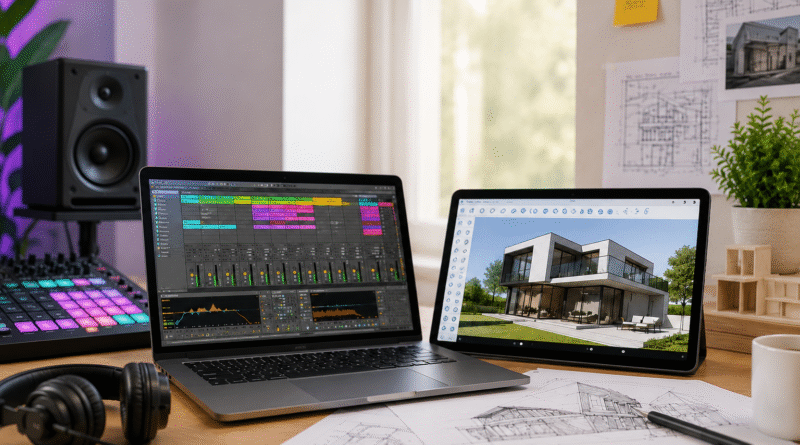
Ableton Live is particularly associated with this type of creative process. Its Session View allows ideas to be explored through clips, while Arrangement View provides a more linear environment for developing a complete composition.
The important concept is not simply the availability of different functions. It is the ability to change direction without losing earlier work.
That makes experimentation less risky.
A producer can test an arrangement, save it, try another variation, and return to the original idea if necessary.
3D Modeling as a Creative Thinking Tool
Visual creators face a similar challenge.
A concept that looks convincing in a sketch may behave differently when viewed in three dimensions. Proportions, circulation, scale, lighting, furniture placement, and spatial relationships can become much easier to evaluate through a digital model.
SketchUp Pro is an example of software that supports this type of visual development.
Rather than treating 3D modeling only as a final presentation technique, designers can use it during the thinking process itself.
A rough model can reveal a problem early. A revised model can test a possible solution. Multiple versions can be compared before a final direction is selected.
This makes digital modeling valuable not only for visualization but also for decision-making.
Creative Productivity Is Not Just About Speed
Productivity is frequently associated with completing tasks quickly.
For creative professionals, that definition is too narrow.
A productive workflow should help people spend more time making meaningful decisions and less time dealing with avoidable friction.
For example, a designer who has an organized project structure can locate assets quickly. A producer with a consistent template can begin a new session without rebuilding the same setup every time.
Small improvements can accumulate into significant time savings.
This broader approach to creative productivity across music and 3D design demonstrates how different creative disciplines can benefit from similar workflow principles.
Organization Creates Room for Creativity
Organization may not sound particularly creative, but it plays a major role in protecting creative attention.
Messy project folders, unclear filenames, duplicate versions, and missing assets can create unnecessary stress.
A practical system can include:
- Consistent file naming
- Clearly separated project versions
- Dedicated asset folders
- Regular backups
- Reusable project templates
- Archived completed projects
- Simple revision tracking
The objective is not to create unnecessary administrative work.
Instead, organization should make creative work easier to resume and revise.
When the technical side of a project is predictable, creators can concentrate more fully on the creative side.
Visualization Improves Communication
Creative work frequently involves other people.
A musician may need to share a demo with a collaborator. A designer may need client approval. An architect may need to explain a proposed space to someone without technical training.
In these situations, visualization becomes extremely valuable.
A rough recording can communicate a musical direction more effectively than a written explanation. Likewise, a 3D model can demonstrate a spatial concept more clearly than a long description.
Digital tools therefore have an important communication function.
They help transform abstract ideas into something that other people can inspect, discuss, and improve.
Why Iteration Leads to Better Results
Few successful creative projects are perfect on the first attempt.
Iteration allows creators to learn from each version.
A producer might discover that a particular arrangement feels too crowded. A designer might realize that a room needs better circulation. Instead of treating these discoveries as failures, they can become information for the next version.
This creates a useful cycle:
Create → Review → Modify → Compare → Refine
The process can be repeated until the project reaches a satisfactory level of quality.
Digital environments make this particularly practical because versions can often be duplicated and modified without permanently destroying previous work.
Building Flexible Creative Workflows
There is no universal workflow that works for every professional.
A freelance musician may need a very different system from an architectural visualization specialist. However, the underlying principles can remain similar.
A flexible workflow should make it easy to:
- Capture ideas quickly.
- Experiment without unnecessary restrictions.
- Organize project materials.
- Compare different approaches.
- Revise work efficiently.
- Present ideas clearly.
- Archive completed projects.
The key is adaptability.
A workflow should provide enough structure to prevent confusion but enough freedom to accommodate unexpected creative discoveries.
These flexible creative workflows can be particularly useful for professionals who work across multiple disciplines or manage several projects simultaneously.
Avoiding Technology Overload
More software does not automatically mean better creative work.
Creators can easily accumulate applications, plugins, templates, extensions, and digital services. The result can be a complicated ecosystem that actually slows production.
Before adding another tool, it is worth asking:
- What specific problem does it solve?
- Does existing software already handle the same task?
- Will it simplify the workflow?
- Does it integrate with the current project environment?
- Will learning it provide meaningful long-term value?
A smaller toolkit that is understood deeply can often be more useful than dozens of applications that are rarely used.
The objective should always be to remove friction rather than introduce additional complexity.
Cross-Disciplinary Lessons for Modern Creators
One of the most interesting aspects of modern creative technology is the increasing overlap between disciplines.
Music producers are incorporating visual elements into performances. Designers use animation and sound to communicate concepts. Architects create immersive presentations. Content creators combine video, audio, photography, typography, and 3D assets.
This creates opportunities for creators to learn from one another.
Music production teaches valuable lessons about rhythm, layering, repetition, contrast, and timing. Visual design can teach hierarchy, composition, balance, and communication.
These principles can transfer between creative fields even when the software is completely different.
Practical Ways to Improve a Creative Workflow
Professionals looking to improve their process do not necessarily need to rebuild everything from scratch.
A few practical changes can make a meaningful difference.
Create Reusable Templates
If the same setup is required repeatedly, create a template.
This can include preferred tracks, folders, settings, naming conventions, or frequently used resources.
Separate Exploration From Final Production
Do not force early experiments into a final structure too soon.
Allow the initial phase to remain flexible before moving into detailed production.
Save Important Versions
Major revisions should be preserved rather than overwritten.
This makes experimentation safer and allows creators to revisit earlier ideas.
Review Projects Before Final Delivery
A short review can identify inconsistencies, technical problems, or unnecessary elements that may have been missed during production.
Document What Works
When a particular process consistently produces good results, document it.
Over time, these notes can become a personal workflow system.
The Role of Creative Software in Professional Development
Learning software is not only about mastering buttons and menus.
The greater skill is understanding how technology can support creative decision-making.
A professional who understands workflow principles can often adapt to new software more easily because they understand what they are trying to accomplish.
For example, learning one digital audio workstation can teach concepts such as recording, arrangement, signal flow, MIDI, automation, and editing. Those concepts can remain useful even when the person later works with another platform.
Similarly, learning 3D modeling can develop an understanding of spatial relationships, scale, components, visualization, and digital presentation.
The software is the environment.
The workflow is the transferable skill.
Frequently Asked Questions
What is a digital creative workflow?
A digital creative workflow is the organized process used to move from an initial idea to a completed creative project using digital tools. It can include planning, experimentation, production, revision, organization, and final presentation.
How can creative software improve productivity?
Creative software can reduce repetitive work, simplify experimentation, improve organization, and make revisions easier. Productivity improves when technology reduces friction rather than adding unnecessary complexity.
Is Ableton Live useful for beginners?
Yes. Ableton Live can support beginners while also providing advanced features for experienced producers. Beginners can start with basic recording, MIDI, clips, instruments, and arrangement before gradually exploring more advanced production techniques.
What is SketchUp Pro commonly used for?
SketchUp Pro is widely associated with 3D modeling and visualization. It can be used for architectural concepts, interior layouts, spatial planning, product ideas, construction-related visualization, and other forms of three-dimensional design.
Why is iteration important in creative projects?
Iteration allows creators to test ideas, identify weaknesses, and improve their work. Instead of expecting the first version to be perfect, creators can use each version as information for the next decision.
Conclusion
Digital technology has changed creative work not simply by giving professionals more features, but by changing how ideas can be explored and developed.
A musician can test several arrangements before committing to a final composition. A designer can evaluate a three-dimensional concept before construction or production begins. A creative team can share prototypes, review alternatives, and make decisions with greater clarity.
The most valuable approach is therefore not to chase every new application or feature. It is to build a workflow that supports the way you actually think and create.
When organization, experimentation, visualization, and iteration work together, creative software becomes more than a collection of technical functions. It becomes part of a repeatable system for turning ideas into meaningful results.
For modern professionals, that balance between technology and creative judgment may ultimately be the most important productivity advantage of all.